Facebook Temporary Hold Unsuccessful usually means Meta was unable to complete a payment verification or authorization attempt on your advertising payment method. It does not always mean your bank account is actually empty. Currency conversion, bank restrictions, card settings, payment-processing errors, or an issue within Meta’s billing system can all contribute.
If your debit card has sufficient money but Ads Manager still reports “Insufficient Funds,” don’t immediately assume you need another card. Start by checking the attempted payment amount, available balance, currency conversion and payment activity.
At GIET, we have worked with businesses facing Meta advertising payment problems, including cases where repeatedly adding or replacing cards did not resolve the issue. The important lesson is to diagnose the payment failure before making repeated changes.
Why Does Facebook Say “Insufficient Funds” When You Have Money?
There are several possible reasons.
1. Your available balance may be lower than your displayed balance
Your bank may show money in the account, but not all of it may be available for an online transaction. Pending transactions, bank holds or other restrictions can reduce the amount available to Meta.
For example, if Meta attempts a USD authorization and your Ghanaian card is funded in GHS, the amount required depends on the bank’s exchange rate and applicable charges.
Don’t fund the card with exactly the equivalent amount. Leave a reasonable buffer.
2. Currency conversion can affect the amount required
This is particularly relevant for Ghanaian advertisers paying for campaigns in a foreign currency.
Suppose your Meta advertising account operates in USD while your bank card is denominated in Ghana cedis. The amount your bank needs to authorize may differ from the simple exchange-rate calculation you have made.
So if Meta attempts to verify a $10 payment, having exactly the cedi equivalent of $10 may not be enough.
3. Your bank may decline the transaction
The issue can also originate with your bank rather than Meta.
Your card may have restrictions on:
- International transactions
- Online payments
- Recurring payments
- Foreign-currency transactions
- E-commerce transactions
- Certain merchant categories
If possible, contact your bank and ask whether the card is permitted to process international online advertising payments.
4. The payment method itself may need attention
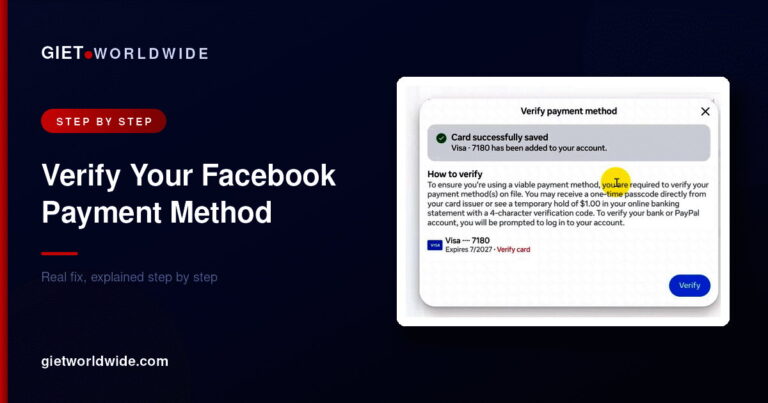
An expired card, incorrect billing information, spending limit, blocked card or failed verification can prevent payment authorization.
Meta’s advertising system uses payment information to process advertising charges, so keeping the payment method accurate is essential.
5. It can sometimes be a platform-side technical problem
This is where many advertisers become frustrated.
If you have confirmed that the card is active, has sufficient available funds and supports the transaction—but multiple legitimate payment methods continue producing the same error—the problem may not be something you can fix from your card settings alone.
Do not assume every “Insufficient Funds” message means you literally have insufficient money.
Facebook Temporary Hold Unsuccessful: Step-by-Step Fix
Before creating a new advertising account, work through these steps.
Step 1: Check your payment activity
Open Meta Ads Manager and go to the billing or payment area associated with your advertising account.
Look at your recent payment activity and identify:
- The amount Meta attempted to charge or authorize
- Whether the transaction failed
- Whether a smaller amount was successfully processed
- Whether there are outstanding balances
- Which payment method was used
This gives you evidence instead of relying only on the error message.
Step 2: Make sure your card has a sufficient buffer
If Meta is attempting a payment equivalent to a particular amount, don’t keep only that exact amount on your card.
For Ghanaian advertisers, remember that the final GHS amount can be affected by the exchange rate and bank charges.
Keep more available funds than the attempted transaction requires.
Step 3: Check your card with your bank
If the problem continues, contact your bank.
Ask whether:
- International online payments are enabled.
- Foreign-currency transactions are allowed.
- Recurring or merchant-initiated payments are permitted.
- There is a spending or transaction limit.
- The bank declined a recent Meta/Facebook transaction.
This can quickly separate a bank-side problem from a Meta-side problem.
Step 4: Try another legitimate payment method
If you have access to another suitable debit or credit card, you can add it as a payment method.
However, don’t keep adding cards indefinitely.
If several valid cards with sufficient funds produce the same error, repeatedly replacing cards is unlikely to be the best next step.
Step 5: Contact Meta advertising support
If your bank confirms that the card is working and the problem persists, contact Meta’s advertising support.
Give the support team useful information, including:
- Advertising account ID
- Screenshot of the error
- Screenshot of payment activity
- Date and time of failed attempts
- Payment method type
- Confirmation from your bank, where available
- Exact error message
Meta’s support process may require the issue to be reviewed or escalated rather than fixed through another card change.
Avoid opening multiple unnecessary cases for the same issue. Keep your case information organized and respond to the existing support thread when appropriate.
Should You Create a New Facebook Ad Account?
Creating a new advertising account should generally be treated as a last resort, not the first solution.
A new account can introduce additional complications, including:
- Rebuilding billing history
- Reconfiguring campaigns
- Reconnecting assets
- Re-establishing business settings
- Losing continuity with existing advertising data
Before taking that step, make sure you have investigated the payment method, bank restrictions and Meta support options.
If the issue is genuinely connected to the existing advertising account, moving to another account may not automatically solve the underlying problem.
Ghana-Specific Checks for Facebook Advertisers
For businesses advertising from Ghana, payment troubleshooting deserves extra attention because transactions may involve GHS-funded cards and foreign-currency billing.
Before contacting support, check:
| Check | What to verify |
|---|---|
| Card balance | Enough available funds, not just account balance |
| Currency | Meta billing currency and card currency |
| Exchange rate | Allow room for currency conversion |
| Online payments | Enabled by your bank |
| International payments | Enabled where required |
| Card expiry | Card is still valid |
| Billing details | Information matches the payment method |
| Bank limits | Daily/transaction limits are not blocking payment |
| Meta billing | No outstanding payment issue |
| Support case | Existing case information is available |
What Not to Do When You See the Error
When advertisers panic, they sometimes make the problem harder to diagnose.
Avoid:
- Repeatedly adding and removing the same card
- Entering inaccurate billing information
- Creating multiple advertising accounts immediately
- Assuming the bank is responsible without checking
- Assuming Meta is responsible without checking
- Ignoring outstanding balances
- Sharing your full card number or CVV with anyone claiming to offer support
Your card details are sensitive. Never publish them in Facebook groups, WhatsApp conversations or support screenshots.
When You Should Get Professional Help
If you’ve checked the card, confirmed available funds, spoken with your bank and still receive Facebook Temporary Hold Unsuccessful, it may be time for a professional review of your advertising account.
GIET helps Ghanaian businesses manage and troubleshoot Meta advertising campaigns. Our Facebook and Instagram advertising service can be useful when the problem goes beyond simply changing a payment card.
David Asaana and the GIET team also work with businesses that need help managing the wider advertising setup—not just the payment screen.
The bigger lesson is simple: don’t treat every “Insufficient Funds” message as proof that your card has no money. Check the transaction, currency, bank permissions and account status before making major changes.
Meta’s advertising environment and payment systems can change, so always verify the current options available in your own Ads Manager. Meta’s official resources remain the appropriate place to confirm platform-specific support and billing procedures.
Still seeing “Temporary Hold Unsuccessful” even though your card has enough money?
Don’t keep changing cards without knowing what is causing the failure. Get help with your Facebook and Instagram advertising setup or book a consultation with GIET so the issue can be reviewed alongside your wider advertising setup.
FAQs
It means Meta could not successfully complete a temporary payment authorization or verification attempt on your advertising payment method. It does not necessarily mean your bank account has no money.
The transaction can fail because of available-balance differences, currency conversion, bank restrictions, card limits or payment-processing problems.
Keep a reasonable buffer above the amount Meta is attempting to authorize, particularly when your card is in GHS and your advertising account uses another currency.
You can test another legitimate payment method, but if several valid cards fail with the same message, adding more cards may not solve the underlying issue.
Yes. Depending on the bank and card, international, online, recurring or foreign-currency transactions may be restricted. Contact your bank to confirm the card’s payment permissions.
Check your payment activity, confirm the card and bank are working, then contact Meta advertising support with screenshots and your advertising account information. If the issue persists, professional account troubleshooting may help identify whether the problem is billing, account configuration or platform-side.
Still stuck after trying this? Grab our free Meta Ad Account Recovery Checklist, or book a private 1-on-1 session with David Asaana and we’ll work through it together — see how it works (0).